What does a student information system hold?
At its simplest, an SIS is a database of students with rules about who can read and change it. Most systems hold the same core groups of information, though the names differ:
| Group | Examples | Who typically uses it |
|---|---|---|
| Identity and contacts | Name, date of birth, a student reference, guardians, emergency contacts | Office staff, leadership |
| Enrolment | Application, offer, class group, start and end dates | Admissions and office staff |
| Attendance | Daily or per-lesson registers, absences, lateness | Teachers, office staff, families |
| Assessment | Marks, feedback, grades and report comments | Teachers, students, families |
| Documents | Certificates, ID cards, consent forms | Office staff |
| Finance link | Invoices and balances attached to the student | Finance staff, families |
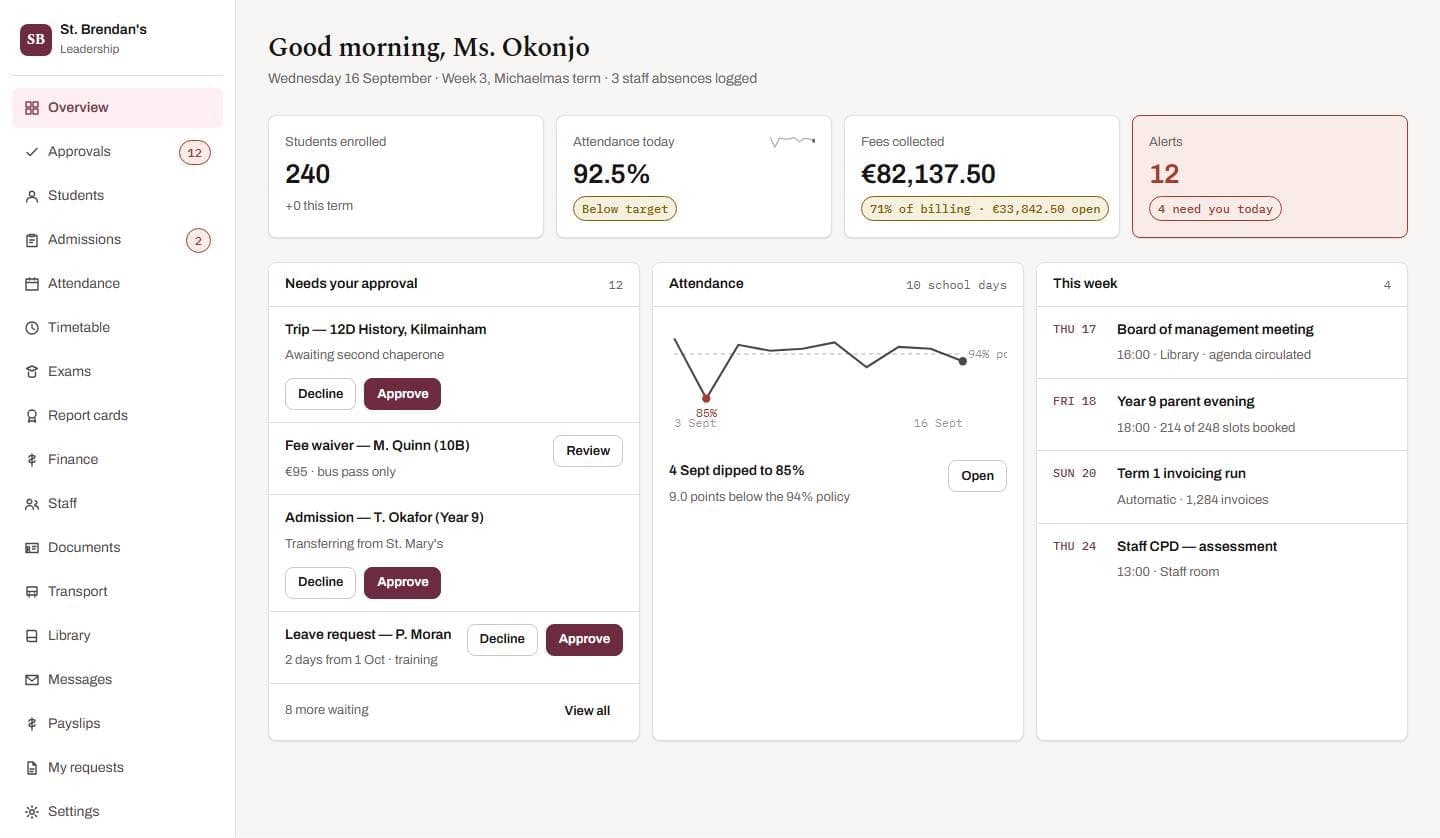
Systems differ in how much sits inside the SIS and how much is in neighbouring modules. A school management system usually includes fees, timetables and staff alongside the student record.
How is a student record created and used?
- Enrolment creates the record. A new student arrives from an application or from an import of your existing list. Guardians are linked at the same time.
- Daily events attach to it. Each register, mark, document or invoice is recorded against the student.
- Reports read from it. Attendance totals, term reports and dashboards are calculated from what is already there.
- Changes are made once. If a guardian's phone number changes, it is changed in one place and is correct everywhere that uses it.
- The record is closed or archived when the student leaves, with the history kept according to your retention rules.
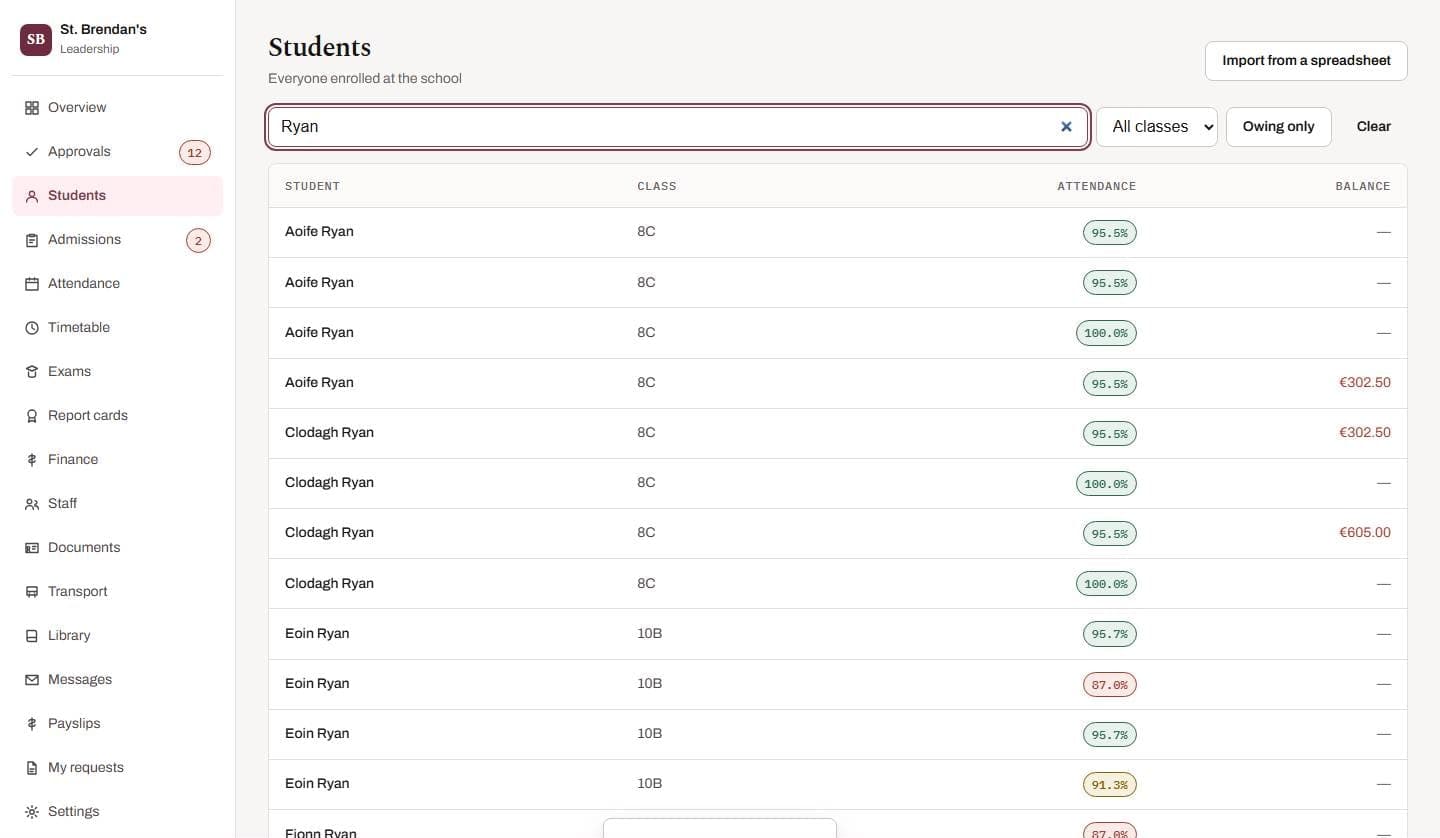
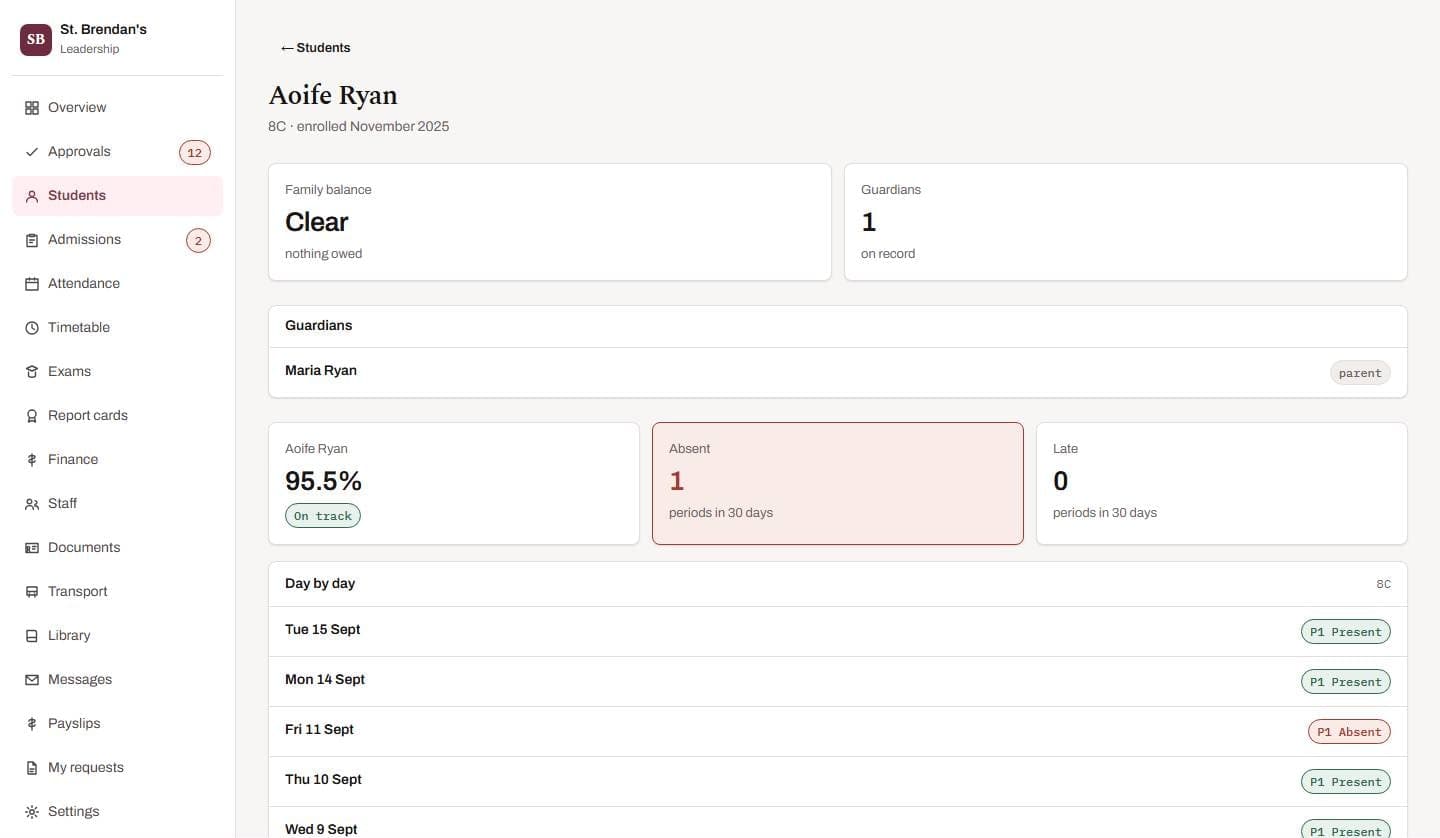
In AcademicsFlow, enrolling an applicant creates the student and the guardian's account in one step, and opening a student shows attendance, balance and guardians together. A reference next to the name tells students who share a name apart. See the student information system page for the full list.
Who can see which part of the record?
An SIS holds sensitive information about children, so access rules matter as much as features. The usual model is role-based: a principal sees the whole school, a teacher sees the students they teach, a finance officer sees balances, and a parent sees only their own children.
The important question is where the rule is enforced. If the server checks every request, the rule holds for every screen and every integration. If the interface only hides data, a determined user may still reach it. Ask a vendor to show a parent account and a principal's account side by side. The student data privacy checklist goes through the questions in more detail, and for the rules that apply in your country, the US Department of Education publishes guidance on student privacy at studentprivacy.ed.gov and the European Commission explains data protection at commission.europa.eu.
Why does data quality matter so much?
An SIS is only as accurate as what goes into it. The most common problems are duplicate students, inconsistent name and date formats, guardians without an email address, siblings entered as unrelated, and leavers who are still listed. Each one produces a wrong register, a missing message or an invoice sent to the wrong person.
Clean the data in your spreadsheets before you import it, and use an import that shows every error before anything is saved. AcademicsFlow previews an error against each problem row, and the commit is all-or-nothing, so one bad row never leaves you half-imported. The steps are in moving from spreadsheets to a school management system.
How does an SIS connect to other systems?
Most schools run more than one system. An SIS is usually the source of truth for who the students are, and other systems borrow that list. Common connections include an accounting package, a learning management system, an identity provider for sign-in, and a library or transport system.
- Built-in modules share the record directly, so there is nothing to synchronise.
- An API lets another system read or update records under rules you control.
- A file import or export is the simplest connection and the most fragile, because it depends on someone running it.
AcademicsFlow's modules share one record. It also exposes a documented REST API, and integrations with other software are quoted separately. See education ERP software for what is built in.
What an SIS does not do
An SIS records what happened. It is not where lessons are delivered. Course content, quizzes and discussion belong to a learning management system, and many schools use one alongside their SIS. The learning management system page and the article on the difference between an LMS and a school ERP explain how the two fit together.
How do you evaluate a student information system?
- Enrol a new student from an application and watch what is created.
- Open a student and check that attendance, balance and guardians are visible together.
- Sign in as a parent and confirm that only their own children are visible.
- Import a messy spreadsheet and read the error report.
- Ask how you export a complete copy of your data, and what is deleted when you leave.