Platform · Student information system
Student information system software for schools and colleges
A student information system (SIS) is the system of record for students: who they are, who their guardians are, whether they were in school today, and how they are doing. AcademicsFlow includes all of that and connects it to fees, timetables, coursework, communication and staff, so the student record is never a separate island.
- Attendance, balance and guardians together
- Role-scoped access
- CSV import with error preview
What it does
What the student record connects to.
What is a student information system?
A student information system (SIS) is software that stores and manages student records: enrolment details, guardians and emergency contacts, attendance, grades and reports. It is the school's system of record for each student.
Some products stop there. Others add fees, timetables, staff and communication on top, and are usually called school management systems. The terms overlap, and AcademicsFlow is the second kind. See what a school management system is for the comparison.
How does a student information system work?
- A student record is created when an applicant is enrolled, linked to a guardian's account.
- Day-to-day events are recorded against it: registers, marks, documents issued and invoices raised.
- Each person sees their part. A principal sees the school, a teacher sees what their role allows and a parent sees their own children.
- The record feeds reports. Attendance and marked work flow into dashboards and report cards without retyping.
For a longer explanation, with what to look for, read how does a student information system work.
What does the student record hold in AcademicsFlow?
| Area | What it covers | Learn more |
|---|---|---|
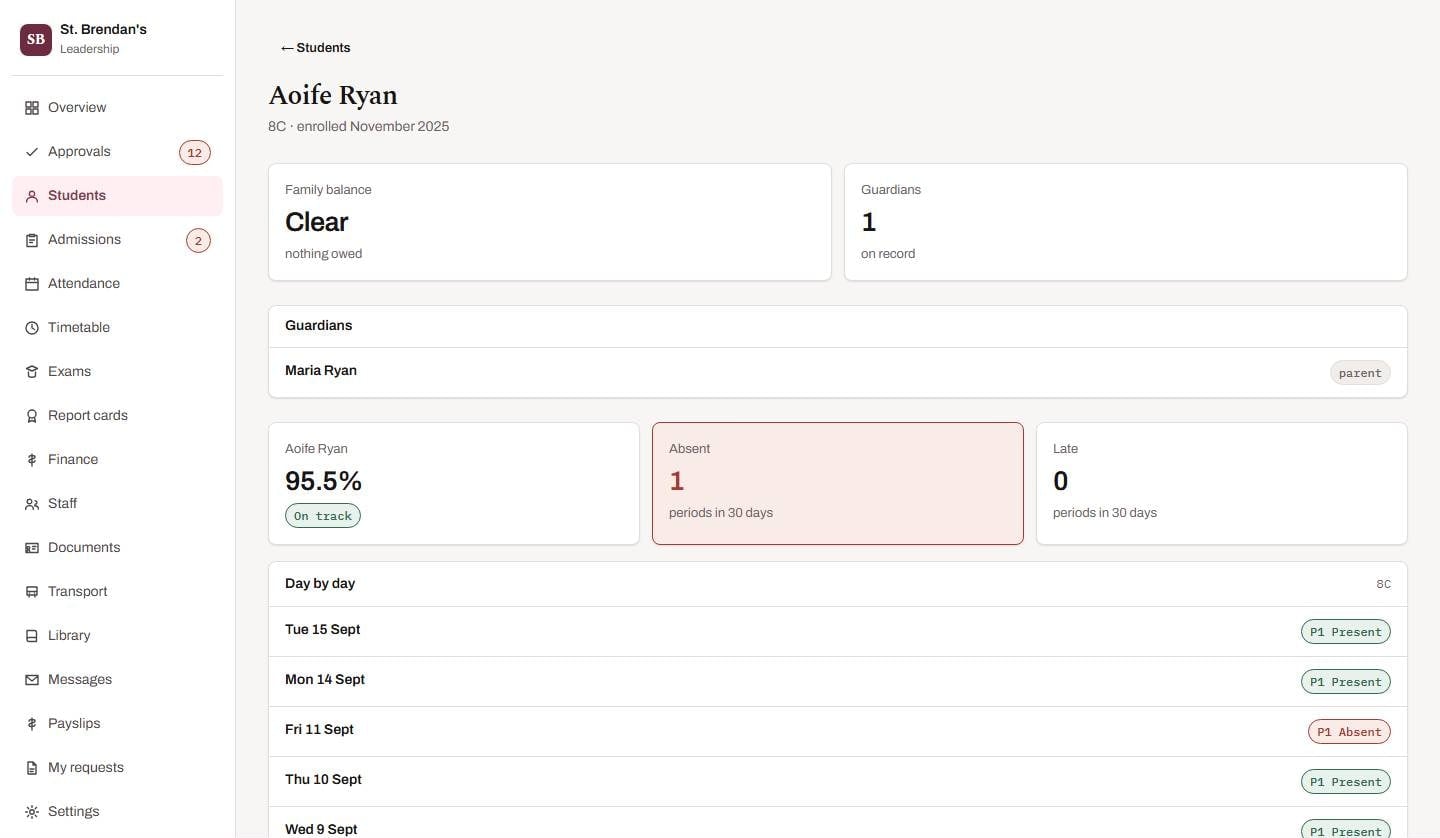
| Student and guardians | Opening a pupil shows attendance, balance and guardians together. A reference beside the name tells apart students who share a name. | Admissions and enrolment |
| Enrolment | Applications, offers, and one-click enrolment that creates the student and the guardian's account together. | Admissions and enrolment |
| Attendance | Day-by-day history for every child, banded by your school's own policy. | Attendance and registers |
| Grades and reports | Marked coursework feeds the term's report cards, so grades are not re-typed. | Report cards and coursework |
| Documents | Numbered certificates and student ID cards with signed QR codes. | Certificates and ID cards |
| Family access | Guardians see their own children's attendance, fees, reports and messages. | Family portal |
Who can see which student's record?
Access is decided by the server on every request. A principal sees the whole school, teachers see what their role allows, and a parent sees their own children and nothing else. Lists are scoped on the server too, not just hidden on screen. The security page explains the controls, including what is still on the roadmap, and the student data privacy checklist lists what to ask any vendor.
How do you get your existing students in?
Import students and staff from a spreadsheet (CSV). A preview shows an error against every problem row before anything is saved, and the commit is all-or-nothing, so one bad row never leaves you half-imported. For complex moves, assisted data migration is available as a fixed-price add-on. The full plan is in moving from spreadsheets to a school management system.
What does it cost?
The student information features are not sold separately. There is one plan, Essentials, with every module: $0.40 per enrolled student per month when billed yearly, in blocks of 100 students. That is $475.20 a year before tax for 100 students. See the pricing page for your exact price, or the cost guide for how to compare quotes.
In the product
Real screens, not mock-ups.
Every image is the running product on a sample school.
- AcademicsFlow
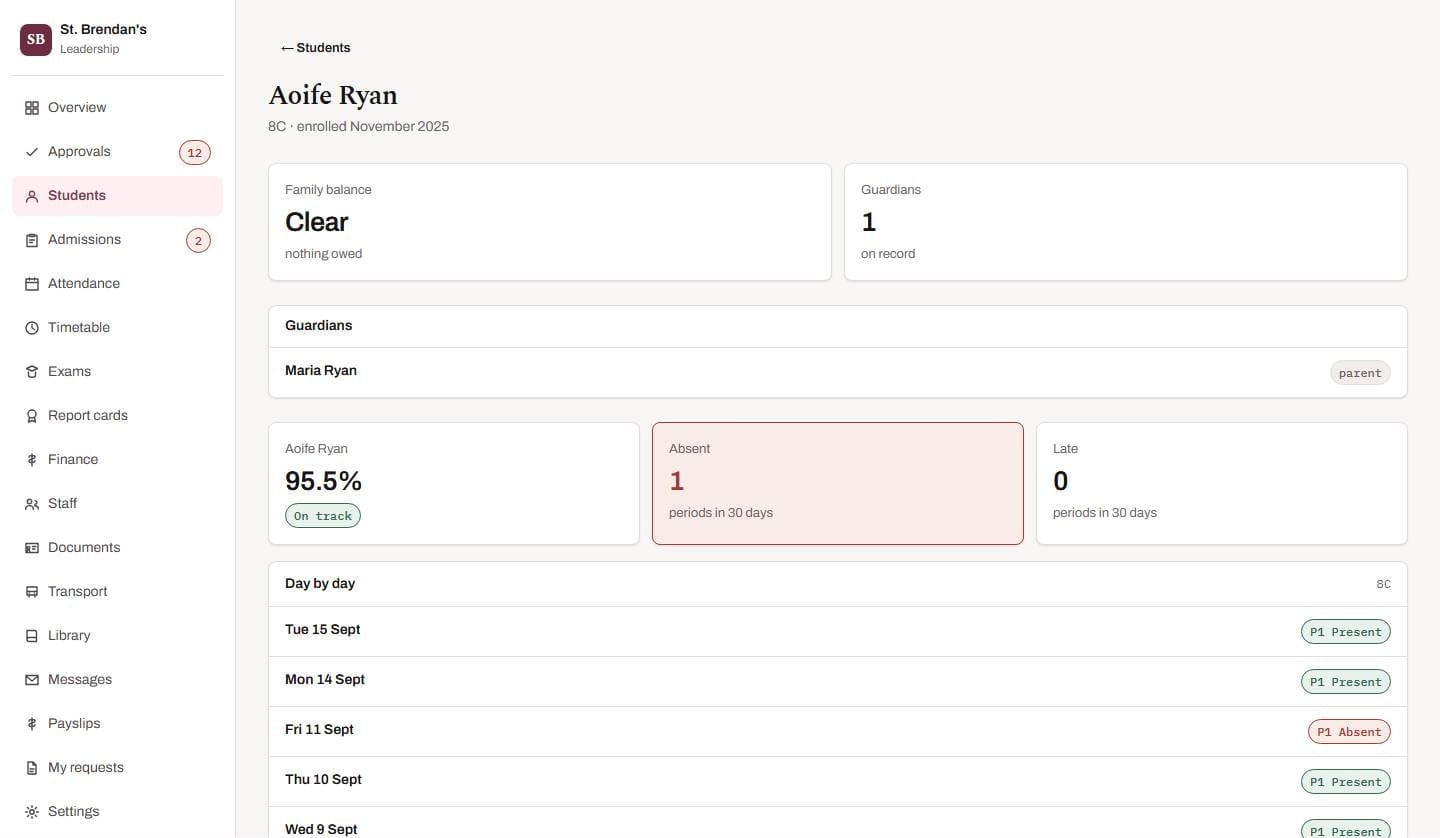
One screen for the student: attendance, balance and guardians together. - AcademicsFlow
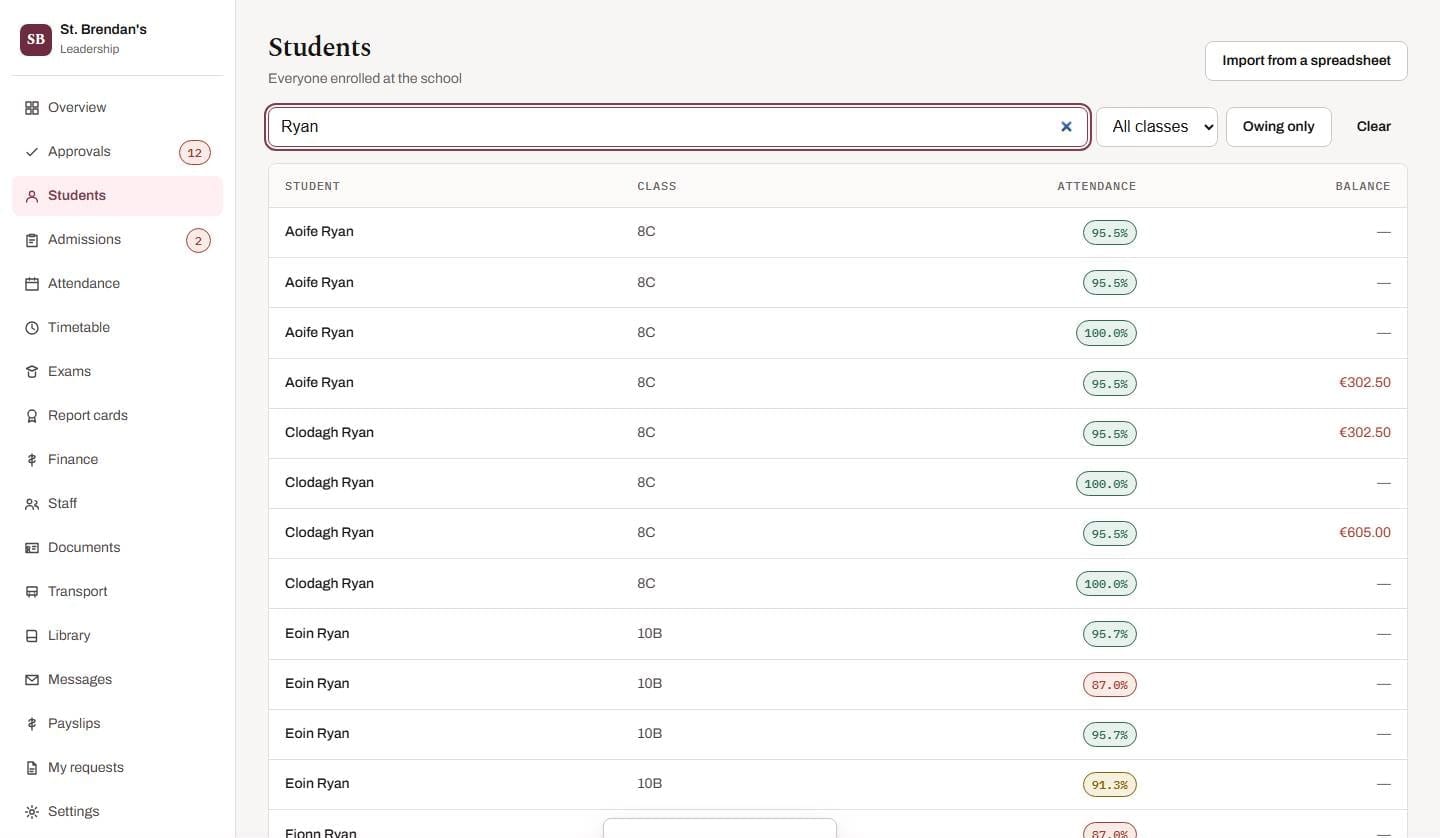
A searchable list, scoped to what each role may see. - AcademicsFlow
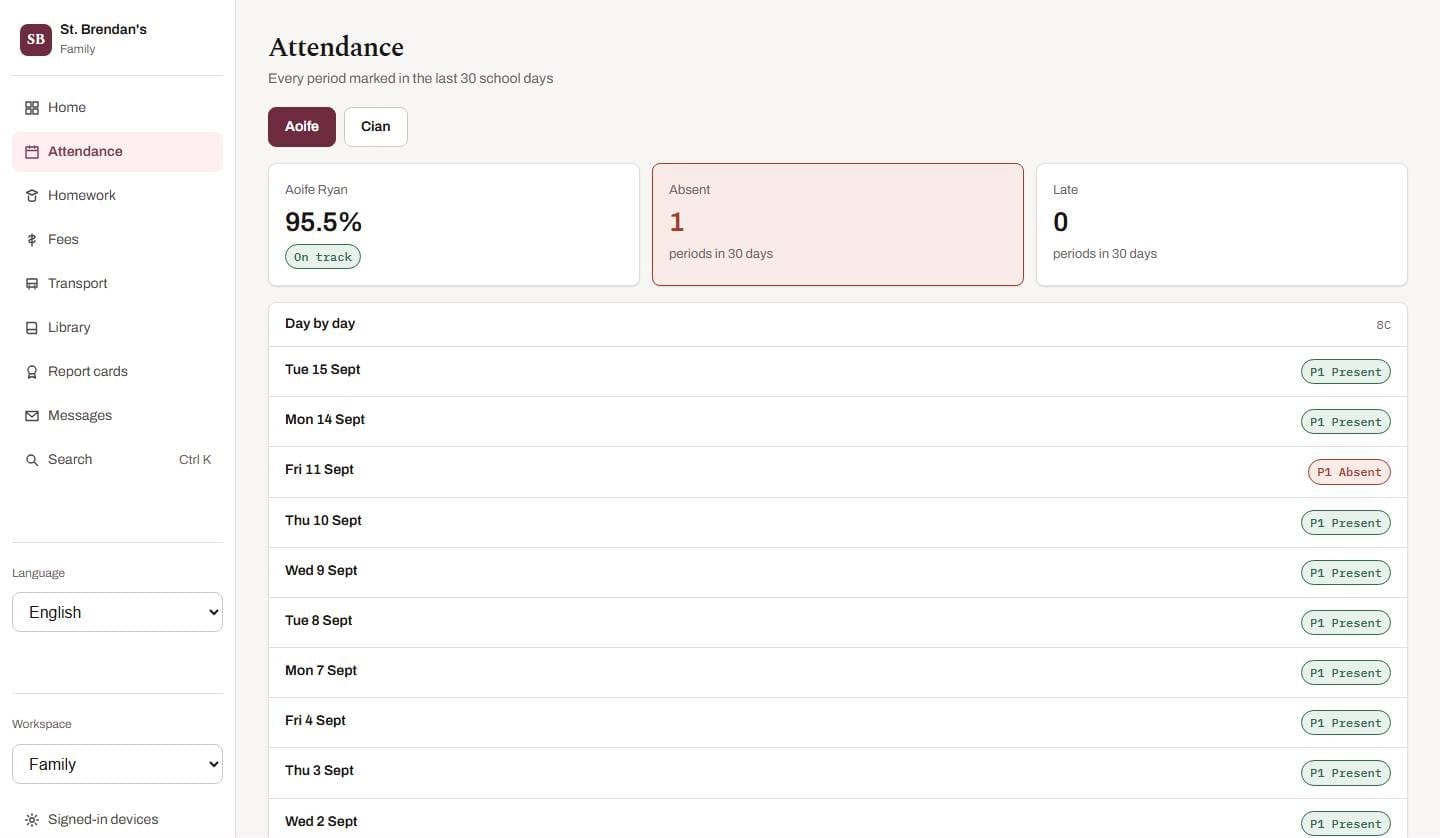
Families see attendance day by day, in the school's own words.
Who benefits
One system, a different view for each person.
Administrators
Find any student quickly, see attendance, balance and guardians together, and import a whole cohort from a spreadsheet with errors caught first.
Teachers
See the students you teach, record attendance and marks once, and know the same figures reach the report card.
Students
Have a record that carries your timetable, work handed in and feedback in one place.
Parents and guardians
Follow your own child's attendance, fees, published reports and messages without phoning the office.
Examples
What it looks like in practice.
Illustrative scenarios built from how the product works. They are not customer stories.
Two students with the same name
The situation
The office fields a call about “Aoife Murphy” and there are two in the school, in different year groups.
How AcademicsFlow helps
A reference beside each name tells them apart, and opening the right record shows attendance, balance and guardians together.
A new cohort arrives
The situation
A spreadsheet of 200 new students and their guardians must be in the system before term.
How AcademicsFlow helps
The import previews an error against every problem row. The commit is all-or-nothing, so the cohort goes in complete or not at all.
A parent asks where their child's report is
The situation
Families ask whether reports are ready, and some are still waiting on one subject's comment.
How AcademicsFlow helps
A card cannot publish until every subject is commented, and only published cards are visible to families, so no one sees a half-finished report.
What the student information system does not include
A few honest limits, so you can judge the fit.
- It is not a full learning management system. It covers hand-in, marking and feedback, and can connect to the learning platform you already use.
- Grading scales beyond the standard report format, such as GPA or IB 1 to 7, are custom development.
- It is not designed for universities' course-registration and credit-hour structures.
- Multi-factor sign-in and single sign-on are on the roadmap and built to order.
What is inside
The modules behind it.
Mobile Apps & Family Portal
iOS and Android apps, coming soon, that extend the platform rather than duplicate it.
Frequently asked questions
What is a student information system?
A student information system (SIS) is software that stores a school's student records: enrolment details, guardians, attendance, grades and reports. It is the school's system of record for each student.
What is the difference between an SIS and an LMS?
An SIS manages student records and administration. A learning management system (LMS) delivers lessons, assignments and quizzes. AcademicsFlow is not a full LMS, but it covers hand-in, marking and feedback and can connect to the learning platform you already use.
Does it track attendance and grades?
Yes. Registers feed day-by-day attendance history, and marked coursework feeds report cards. Both use one set of rules, so dashboards, family screens and reports agree.
Can parents see their child's record?
Yes, their own children's. Guardians see attendance, fees, buses, published report cards and messages, and nothing about other children. The server enforces this on every request.
Can we import our existing students?
Yes. Import from a CSV file with a full preview of every error before anything is saved. Assisted migration is available for complex moves.
Is it suitable for colleges?
Yes, for colleges that work in classes with a timetable, registers and term reports. See college management software for what fits and what to ask us about first.
Keep exploring
- School Management SoftwareAdmissions, registers, timetables, report cards and fees for primary and secondary schools.
- College Management SoftwareFor colleges that run on classes, a weekly timetable, registers and term reports.
- University Management SystemWhat fits a university today, what does not, and how to scope the rest with us.
- Education ERP SoftwareStudents, finance, staff, transport and the library in one connected system.
Related reading
See AcademicsFlow running a school like yours.
Book a live walkthrough with a fully populated sample school — or tell us what you need and we'll put together a proposal.
Prefer email? info@academicsflow.com