What does a school management system do?
It keeps one record for each student and member of staff, and builds every administrative task on top of that record, so nothing has to be copied between files. A complete system usually covers the areas below. Not every product includes all of them, so check the list against your own school.
| Area | What it handles | Who uses it |
|---|---|---|
| Admissions and enrolment | Enquiries, applications, decisions, and turning an accepted applicant into a student record | Admissions and office staff |
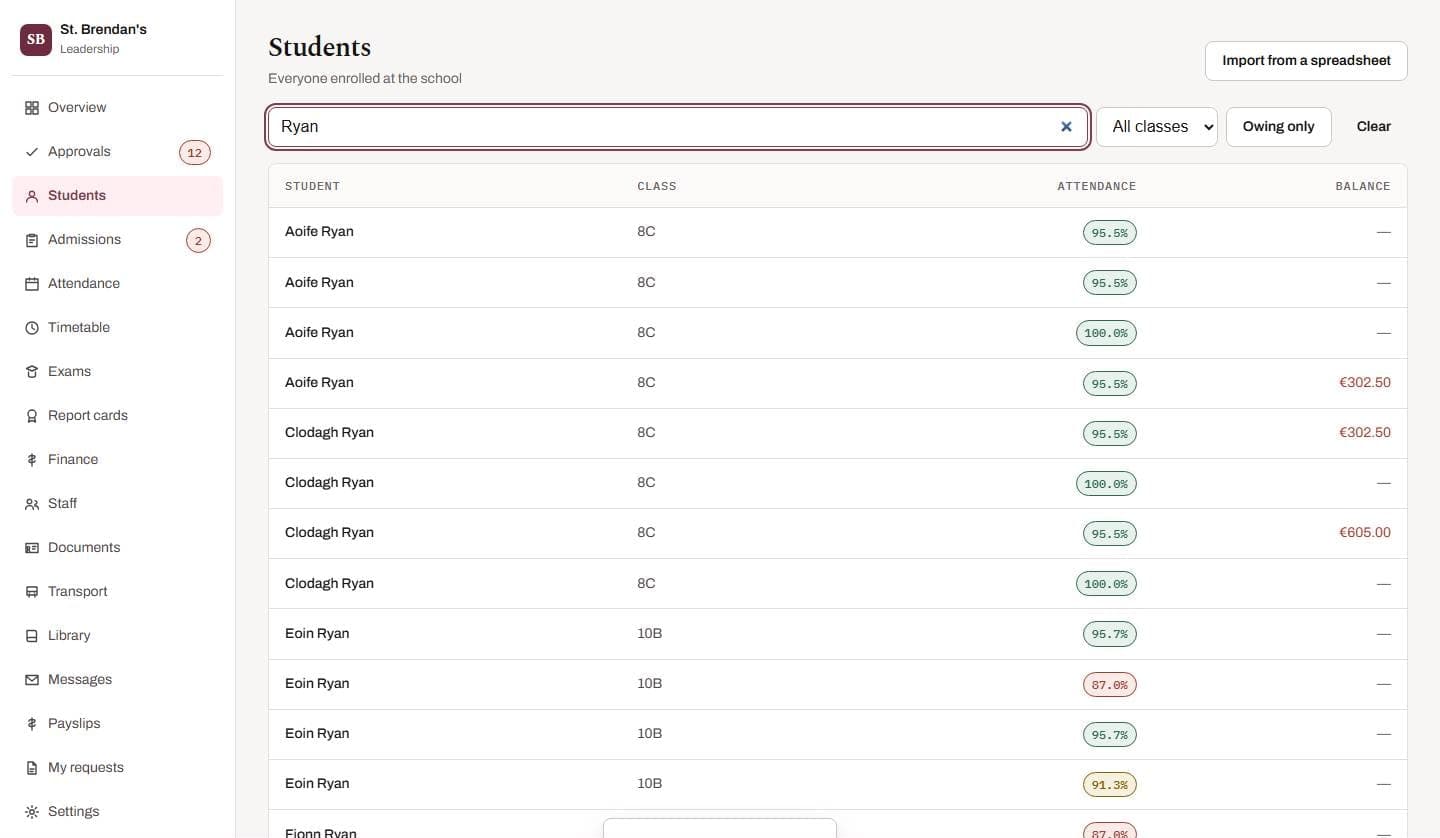
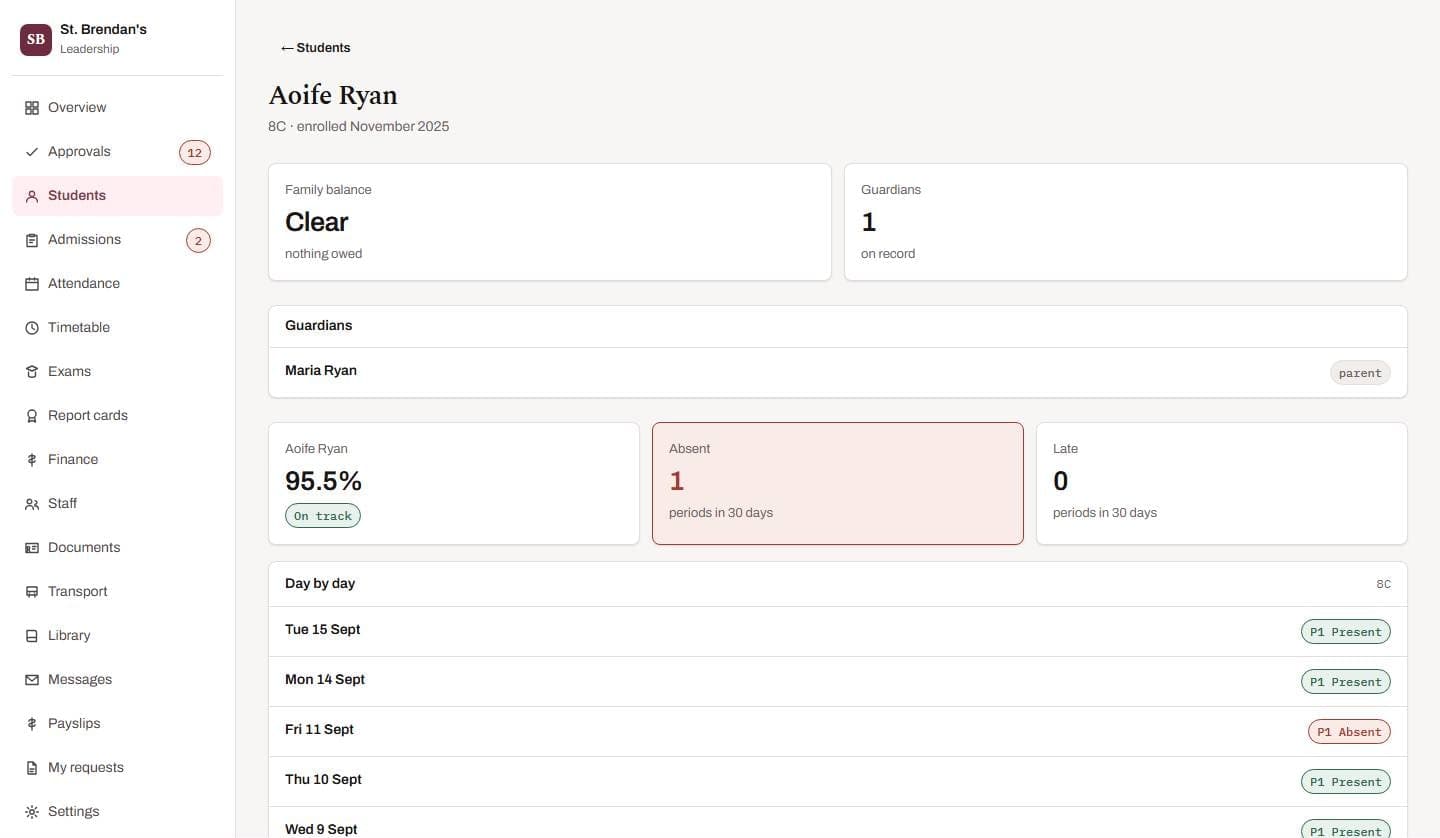
| Student records | Contacts, guardians, health and emergency details, documents | Office staff, leadership |
| Attendance | Daily or per-lesson registers, absences, notifications to families | Teachers, office staff |
| Timetable | Rooms, teachers and classes scheduled without clashes | Leadership, teachers |
| Grades and report cards | Marks, exams, comments, and the reports sent home | Teachers, leadership, families |
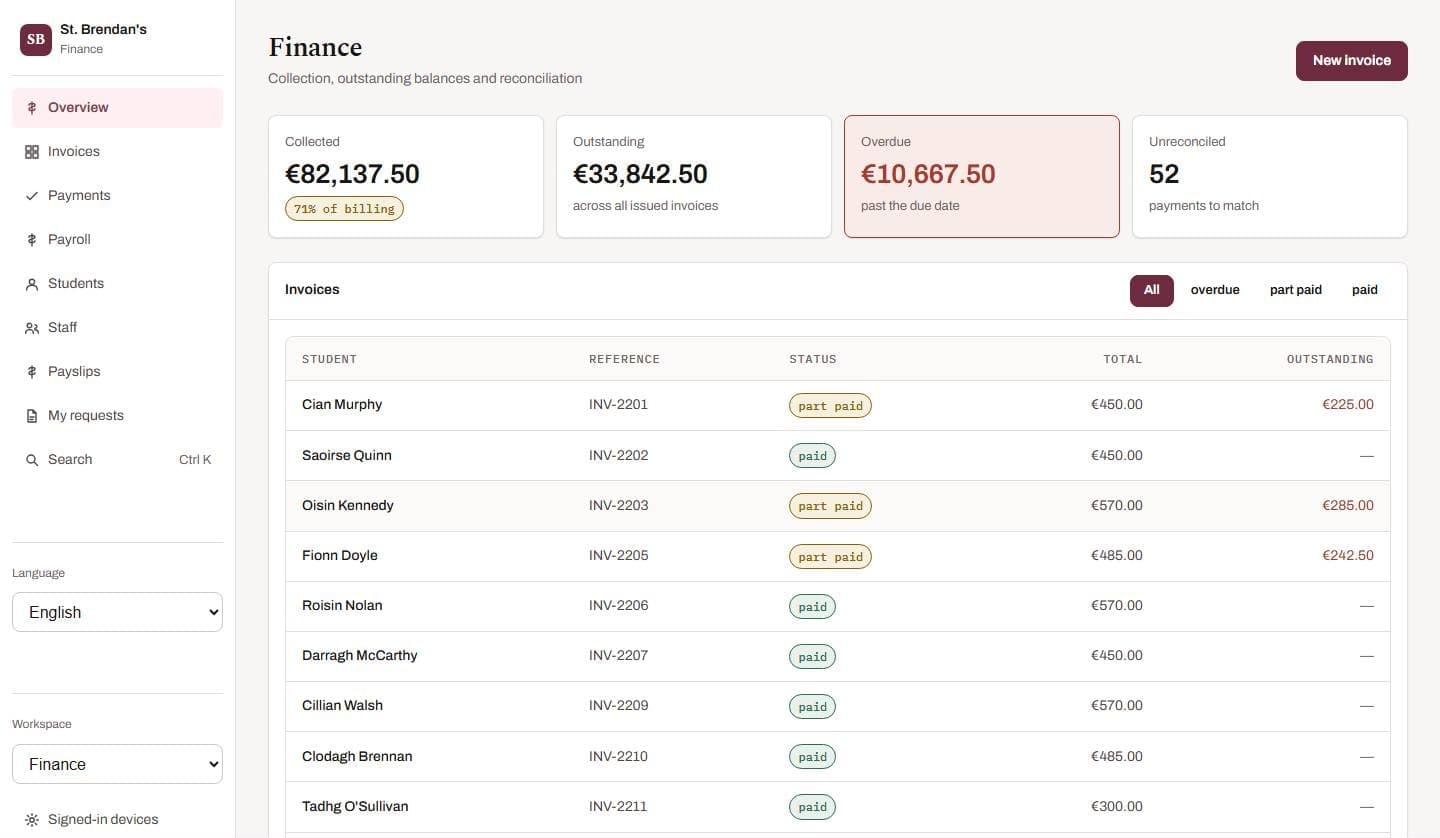
| Fees and finance | Invoices, online payments, arrears, receipts and reports | Finance staff, families |
| Staff, leave and payroll | Staff records, leave requests, payslips | HR and finance staff |
| Transport and library | Bus routes and boarding, book loans and renewals | Office staff, families |
| Communication | Messages, notices and notifications to families and staff | Everyone |
See how these areas look in practice on the AcademicsFlow features page, starting with attendance and registers and fees and finance.
How is it different from a student information system, a school ERP and an LMS?
The terms overlap, and no standard body defines them. As a working guide, they describe different centres of gravity:
| Term | Centre of gravity | Usually includes |
|---|---|---|
| Student information system (SIS) | The student record | Enrolment, attendance, grades, contacts, reports |
| School management system (SMS) | Running the whole school | An SIS plus fees, staff, timetable and communication |
| School ERP | Resources and operations | Finance, HR and payroll, transport, library, often alongside the SIS |
| Learning management system (LMS) | Teaching and learning | Course content, assignments, quizzes, discussion |
An all-in-one school management system combines the first three. A full LMS is usually a separate product, so look for an integration if your teachers already use one. AcademicsFlow handles coursework, hand-in, marking and feedback, and can connect to the learning platform you already run. See how it covers a student information system and education ERP, and whether it suits a college.
Who uses a school management system?
Good systems give each person a view of their own part of the school instead of one crowded screen:
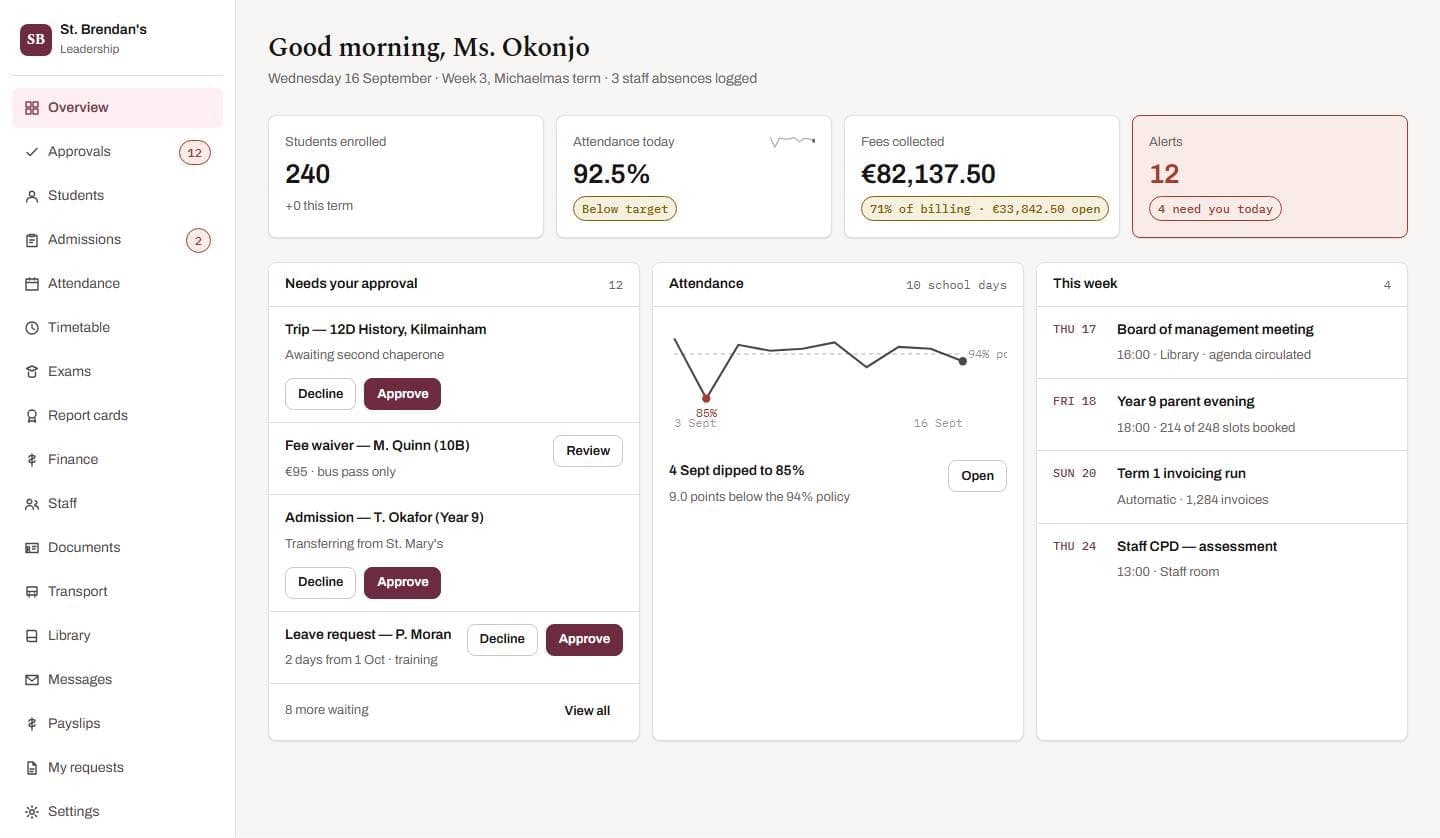
- Principals and leadership see attendance, fees and reports across the school.
- Office staff run admissions, records, documents and day-to-day questions.
- Teachers take registers, set and mark work, and write report comments.
- Finance staff issue invoices, track payments and reconcile.
- Families see their own children's attendance, fees, buses and reports, and nothing else.
- Students see their timetable, homework and feedback.
What are the benefits?
- One record, no copies. A change to a guardian's phone number is made once and is correct everywhere.
- Less retyping. Attendance, grades and fees feed the reports that need them instead of being re-entered.
- Same-day visibility. Leadership can see who is absent and what is unpaid today, not at the end of term.
- Consistent reports. Every class uses the same grading scale and report layout.
- Families stay informed. Notices, absences and fee reminders reach them without phone calls.
- A clear trail. Changes to sensitive records are logged, which helps when something has to be checked or explained.
How do you choose a school management system?
Start from your own school, not a feature list. Ask every vendor the same questions and write the answers down:
| Question | Why it matters |
|---|---|
| Which modules do we need now, and in two years? | You pay for scope you do not use, or discover a gap after you have moved your data. |
| Where is our data stored, and who owns it? | Data-protection law may require a particular region, and you should be able to take a full copy when you leave. |
| Does it work with poor or no internet? | Registers and bus scans must not stop when the connection drops. See how offline attendance works. |
| Does it support our languages, including right-to-left? | Families and staff should be able to read the system in their own language. Here is a right-to-left checklist. |
| Who can see what? | A parent should see only their own children. Ask whether access is enforced by the server, not just hidden on screen. Use the student data privacy checklist. |
| How do we import existing students and staff? | A previewed import with clear error reports saves weeks of cleaning up afterwards. |
| What is included in the price, and what is extra? | See the cost guide for the charges that are easy to miss. |
| How do we leave? | Ask for the export format and what is deleted afterwards, before you sign. |
| Can we try it with realistic data? | A demo on a populated sample school shows far more than a slide deck. |
How long does it take to start using one?
It depends mostly on how clean your current data is and how many modules you switch on at once. A sensible order:
- Clean up students, guardians and staff in your current spreadsheets.
- Import them and fix every error the preview shows before anything is saved.
- Switch on the essentials first: records, attendance, timetable, fees and messaging.
- Pilot with one year group, then train the rest of the staff.
- Go live at the start of a term, and add admissions, reports, transport and the rest as the team is ready.
AcademicsFlow imports students and staff from a spreadsheet with a full preview of any errors, and says many schools are running within weeks. We can assist with migration from your current system. The full plan is in moving from spreadsheets to a school management system.
Where does AcademicsFlow fit?
AcademicsFlow is an all-in-one school management system with twelve connected modules, from admissions to payroll, and a workspace for each role: principal, teacher, family, student, finance and office. It works with registers taken offline, ships in English, Irish and Arabic (with Arabic laid out right-to-left), and runs as a desktop and web app. iOS and Android apps are coming soon.
There is one plan with every module, priced at $0.40 per enrolled student per month when billed yearly and sold in blocks of 100 students. It is not a full LMS. See the pricing or request a demo.